Installation
Estimated Time: ~5-10 minutes
Overview
This guide walks through the installation and setup of SDRForge.
SDRForge is designed for educational SDR and wireless security training in a safe and controlled environment.
System Requirements
Recommended:
- Ubuntu 22.04+
- Python 3.11+
- 8GB RAM minimum
- Modern browser
Clone SDRForge
git clone https://github.com/blackhillsinfosec/SDRForge
Enter the directory:
cd SDRForge
Install Python Dependencies
pip install -r requirements.txt
Install GNU Radio
Ubuntu/Debian:
sudo apt update
sudo apt install gnuradio -y
Launch SDRForge
python3 SDRForge.py
You should now see the SDRForge launcher menu.
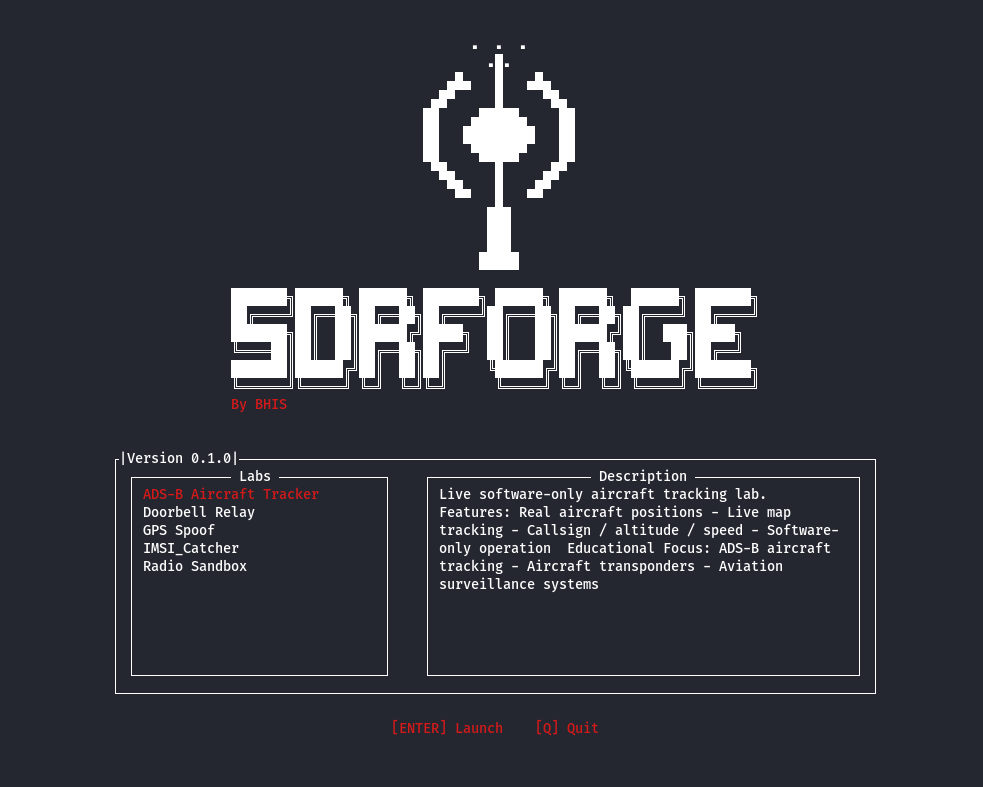
Running Labs
Select a lab from the SDRForge interface:
- GPS Spoof
- IMSI Catcher
- ADS-B
- Doorbell Relay
Each lab launches independently inside the framework.
Troubleshooting
GNU Radio Missing
Install manually:
sudo apt install gnuradio
Python Module Errors
Reinstall dependencies:
pip install -r requirements.txt --system-break
Browser Does Not Open
Install Flask dependencies:
pip install flask flask-socketio
Security Notice
SDRForge is intended strictly for:
- education
- research
- defensive security training